
Technology
Google Gemini AI Prompts for Men Spark 7 Stunning Retro and Cinematic Photo Trends
From vintage Bollywood mafia looks to black-and-white drama, Google Gemini AI is redefining men’s portraits online.


The world of artificial intelligence has once again collided with social media trends, and this time it’s not just for women in glamorous sarees. After the Retro Saree AI trend went viral on Instagram, men are now stepping into the spotlight with the help of Google Gemini. The company’s AI-driven prompts are giving men the chance to turn ordinary photos into cinematic masterpieces that could rival any glossy magazine cover.
In fact, these prompts are not just filters; they are full-fledged creative tools that allow users to reimagine themselves in entirely different worlds—whether it’s a 1970s Bollywood mafia don, a romantic 90s hero, or a serious black-and-white editorial portrait.
The rise of this trend shows how AI is increasingly shaping not only art but also self-expression in the digital era.
Teacher Look: Cinematic Classrooms
One of the most popular prompts floating around is the “Teacher Look.” Picture a young man, sleeves rolled up, standing by a wooden desk with an open book in his hand. The soft, moody lighting and blurred blackboard in the background create a scene straight out of a classic film. The effect is enhanced by subtle film grain and desaturated colors, making it look like a timeless still from a Bollywood or Hollywood drama.

Vintage Bollywood Mafia
AI has long been used to recreate iconic eras, but this prompt transports men back to the golden 1970s. Imagine yourself sitting casually on the hood of a vintage car, dressed in a cream pinstriped blazer and bell-bottom trousers. The mafia-style confidence radiates through the photo, reminiscent of Amitabh Bachchan’s retro swagger in Bollywood’s crime dramas. The warm lighting and chrome details of the car add authenticity, making the AI edit look almost indistinguishable from a real vintage shoot.
Riverbank Relaxation
Not all prompts are about glamour and grit. Some focus on capturing everyday leisure in a cinematic way. One trending example is the “Riverbank Relaxation” look. Picture yourself lounging in a camping chair beside a serene riverbank, hands behind your head, surrounded by snacks and bottled water. The AI injects atmosphere—soft reflections on the water, golden sunlight, and relaxed framing—turning a simple outing into a National Geographic-worthy portrait.
Retro 90s Romance
The 90s have made a comeback, and AI is fueling the nostalgia. A young man in a red wine-colored retro shirt and pants sits against a deep wine-colored wall, holding a single rose. With moody shadows and a windy, cinematic vibe, this edit captures the spirit of 90s romance films. Think Shah Rukh Khan in his early days, when love stories ruled the box office. The AI prompt perfectly balances the retro aesthetic with modern polish.
Black-and-White Drama
Few things are more striking than a well-executed black-and-white portrait. This prompt focuses on sharp shadows, tousled hair, and textured clothing to highlight raw emotion. A man in a dark turtleneck, gazing intently into the camera, looks like he belongs in a Vogue editorial spread. The monochrome aesthetic channels the timeless appeal of legends like James Dean and Marlon Brando.

Mirror Selfie Magic
In the age of smartphones, selfies are an art form. With this prompt, Google Gemini transforms even a casual mirror selfie into a cinematic masterpiece. Wearing a brown sweater layered over a crisp white T-shirt, accessorized with a silver chain, the subject looks effortlessly stylish. The warm lighting and soft shadows create an atmospheric feel that could easily pass for a professional editorial shoot.
Editorial Studio Shot
For those who crave sophistication, the “Editorial Studio Shot” is a favorite. Imagine yourself in a sleek black suit, white silk shirt slightly unbuttoned, standing in a smoky studio under sharp spotlights. Shoulders relaxed, hands in pockets, gaze confident—this prompt captures everything an elite fashion magazine like GQ or Esquire would feature.
Why This Trend Matters
The popularity of these AI-generated portraits reflects a deeper cultural shift. Social media users are no longer content with simple filters. They want to explore different identities, eras, and moods. Google Gemini provides the perfect canvas for that creativity.
More importantly, it levels the playing field. Anyone with a photo and a bit of curiosity can suddenly see themselves in a cinematic, retro, or editorial setting without the cost of professional studios or photographers.
Final Thoughts
From vintage mafia dons to introspective black-and-white portraits, Google Gemini AI is empowering men to explore creativity in ways previously unimagined. As AI continues to integrate into everyday life, expect more trends that blur the line between reality and art.
For those curious to try, the prompts are widely available online, and edits can be generated with just a few clicks. One thing is certain—the future of self-expression is here, and it’s being written by artificial intelligence.
Visit our site for more stories: www.DailyGlobalDiary.com


Technology
How to Free Up iCloud Storage Without Losing Your Data: A Complete Step-by-Step Guide
Running out of iCloud space? Here’s how to clean storage safely, manage backups, delete large files, and organise your Apple cloud data without risking important photos or documents.

If you’ve ever seen the alert “Your iCloud storage is full”, you know how disruptive it can be. Backups stop working, new photos fail to upload, and apps that depend on iCloud—like Messages, Drive, or Mail—slow down or stop syncing.
With Apple offering only 5GB of free iCloud space, most users hit the limit sooner than expected. The good news: you can free up space, organise your iCloud, and protect your important data by following simple steps.
This guide breaks down exactly how iCloud storage works and how to manage it safely across iPhone, iPad, Mac, and Vision Pro.
iCloud Storage vs Device Storage: Know the Difference
Before clearing space, it’s important to understand what you’re deleting.
Device Storage
- Located physically on your iPhone, iPad, or Mac
- Holds apps, downloaded media, system files
iCloud Storage
- Hosted online under your Apple ID
- Syncs photos, messages, backups, documents, and app data across devices
Important:
Deleting from your device does not clear iCloud space — and deleting from iCloud does not free device space.
Understanding this prevents accidental data loss.

How to Free Up iCloud Storage
Apple now offers a “Recommended for You” cleanup tool (iOS/iPadOS 17+), which identifies files you can safely remove.
How to access it:
- Go to Settings > your name > iCloud
- Tap Recommended for You
- Review suggestions (large files, duplicate photos, unused backups)
- Delete items you don’t need
If something isn’t listed, you can still delete it manually.
1. Reduce Your iCloud Backup Size
iCloud backups often consume the most space—especially if apps you no longer use are included.
Choose which apps to back up:
- Settings > your name > iCloud
- Tap Manage Account Storage or Storage > Backups
- Select your device
- Toggle off apps you don’t want included in backups
Delete old backups:
- Open the backup
- Tap Turn Off & Delete
Keep in mind: deleting a backup disables future backups for that device unless re-enabled.
2. Delete Photos and Videos (The Biggest Space Hog)
iCloud Photos syncs your entire library across devices — and eats up storage fast.
On iPhone/iPad/Vision Pro:
- Select and delete unwanted photos
- Empty Recently Deleted to free space immediately
On Mac/iCloud.com:
- Delete photos directly from the Photos app or browser
In iCloud Drive:
- Use the Files app (iPhone/iPad) or Finder (Mac)
- Delete large documents or folders
- They remain in Recently Deleted for 30 days
3. Clean Up Files, Messages, and Mail
iCloud Drive:
- Delete old PDFs, downloads, duplicate documents
- Check Recently Deleted
Messages in iCloud:
- Delete large attachments
- Clear full conversations
- Remove videos, photos, stickers and audio files
iCloud Mail:
- Delete emails, especially promotions
- Use the Mail Cleanup tool (if available)
4. Remove Contact Posters and Images
Contact posters introduced in iOS 17 take up surprising amounts of iCloud storage.
To delete them:
Settings > iCloud > Storage > Contact Images
Remove unnecessary visuals.

5. When to Upgrade to iCloud+
If your photo library, backups, and files exceed what cleanup alone can handle, upgrading may be more practical.
iCloud+ plans offer:
- More storage (50GB / 200GB / 2TB / 6TB / 12TB)
- Private Relay
- Hide My Email
- Expanded HomeKit support
How to upgrade:
Settings > your name > iCloud > Manage Storage > Upgrade
For many users, even the 50GB plan solves most issues.
Final Thoughts
iCloud is deeply integrated into how Apple devices store and sync important information. Running out of space doesn’t mean you have to lose data — it just means you need to manage what stays in the cloud and what doesn’t.
By reviewing backups, deleting unnecessary files, and understanding what iCloud really stores, you can keep your digital life organised without fear of losing memories or essential documents.
Technology
Massive AirPods Price Crash Shocks Shoppers… Apple’s Biggest Black Friday Deals in Years Go Live
From AirPods Pro 3 to AirPods Max, the deepest discounts of the year are dropping — and some models just hit their lowest price ever.

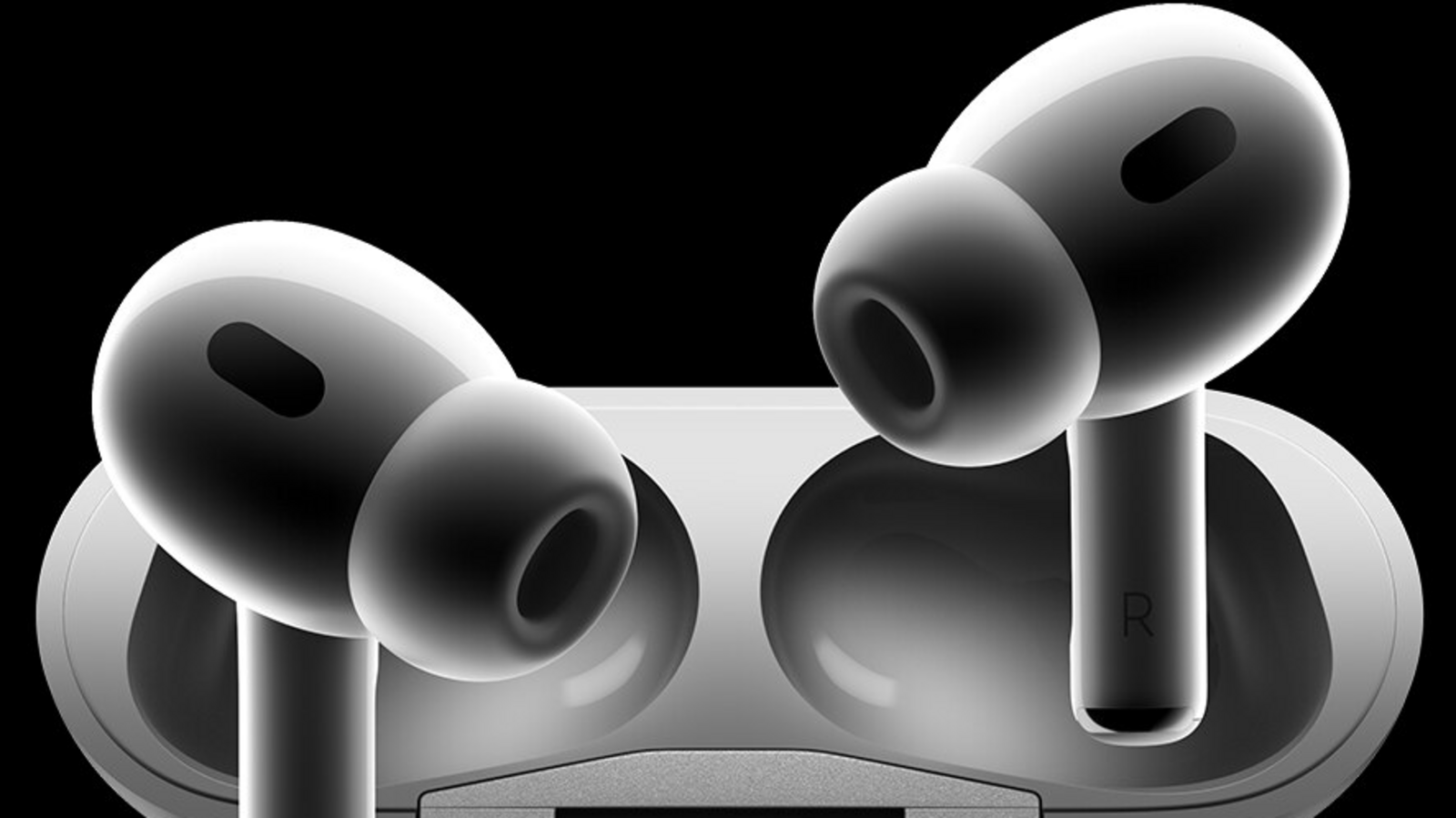
Every year, Black Friday turns into a global treasure hunt — but rarely does the hunt end with genuine price drops on Apple devices. Yet 2025 is proving to be an exception. In a wave of surprise price cuts, AirPods Pro 3, AirPods Pro 2, and the newly refreshed AirPods 4 have all plunged to their lowest prices ever, marking one of the most aggressive Apple audio sales in recent memory.
And shoppers are scrambling.
TechRadar’s audio editor Becky Scarrott , who tracks Apple audio trends year-round, called this year’s drop “the first time Apple’s newest earbuds have seen any meaningful discount.”
The headline-grabber?
AirPods Pro 3 — originally $249 — now selling for just $219.99 at Amazon.
A Rare Deal on Apple’s Flagship Earbuds
For Apple fans, the AirPods Pro 3 introduce two of the company’s flashiest new features:
- Heart-rate tracking
- Live Translation via Apple Intelligence
And unlike earlier generations, their Active Noise Cancellation is now so advanced that reviewers have compared it to “stepping inside a portable recording studio.”
But deals on them? Practically unheard of — until now.
Older AirPods Models Are Seeing Even Bigger Discounts
If you don’t need the newest model, the savings get even wilder.
At Walmart, the previous-generation AirPods Pro 2 have fallen from $249 to $139. Over in the UK, Amazon has pushed the same model down to £169 — its lowest-ever price.
Even the newly released AirPods 4 are turning heads:
- AirPods 4 w/ ANC — $109.99 (Amazon)
- Standard AirPods 4 — $69.99 (Amazon)
Both models mark the cheapest entry point into the AirPods lineup since their creation by Apple founder Steve Jobs.
The Best Buy Wildcard Deal: Up to $130 Off With Trade-In
If you’re willing to part with an old pair of headphones — even from non-Apple brands like Sony , Beats , or Bose , Best Buy is offering a trade-in deal that can drop the price of AirPods Pro 3 to just $119.99.
That is nearly half-price for Apple’s flagship earbuds — and one of the biggest shock discounts in this year’s Black Friday lineup.
AirPods Max Also Get a Rare Price Cut
The luxurious AirPods Max (USB-C) — usually $549 — are sitting at $429.99 at Amazon in the U.S. and £449 in the UK. Not the cheapest ever, but still well below the usual premium.

Reviewers still praise the Max for:
- Exceptional noise cancellation
- Near-perfect audio quality
- Seamless pairing across iPhone, MacBook, and iPad
Why This Year’s Discounts Matter
Apple rarely discounts its own products — leaving big retailers like Amazon, Walmart , Target, and Best Buy to take the lead.
This year, they’re clearly trying to dominate the audio market by price alone. And consumers worldwide are already taking notice.
From college students upgrading old Lightning-charged buds to travelers eyeing the AirPods Max, the demand surge is unmistakable.
The Bottom Line: These Deals May Not Last Long
Given Apple’s usual pricing strategy, these markdowns are expected to vanish quickly — especially for the AirPods Pro models.
If you planned to buy AirPods this year, this might be the moment you’ve been waiting for.
Read more DAILY GLOBAL DIARY
Technology
We Found 30+ Apple Black Friday Deals You Shouldn’t Miss — Massive Discounts on MacBooks, iPads, AirPods and More…
From the M4 MacBook Air to the newest Apple Watch SE, Black Friday 2025 brings rare, deeply vetted Apple discounts across Amazon, Best Buy and Target — and some prices hit all-time lows.

Black Friday rarely makes Apple fans smile — the company is known for premium prices and almost no direct discounts. But 2025 has flipped the script.
For one day only, retailers like Amazon Best Buy and Target are slashing prices on iPads, MacBooks, AirPods and accessories, with some deals hitting their lowest price of the entire year.
The Wirecutter Deals Team, led by senior tech journalist Caitlin McGarry verified these offers to ensure the markdowns are legitimate — not the fake, inflated “Black Friday specials” often seen elsewhere.
And yes… some savings are genuinely huge.
MacBook Deals: The Biggest Price Drops of the Season
M4 MacBook Air — New All-Time Low
The lightweight powerhouse, the new MacBook Air (M4) hit a price point we haven’t seen before. This is the laptop Wirecutter calls “the best for most people,” thanks to its long battery life, premium feel and blazing performance.
Deal price: At major retailers (lowest ever)
If you’ve been eyeing a MacBook upgrade, this is the moment.
Apple AirPods Deals: Pro Audio at Rare Discounts
AirPods Pro 3 — Best for Hardcore Apple Users
- Target: $220 (normally $249)
- Amazon: $220
These are Apple’s most advanced earbuds yet, with excellent noise cancellation, crisp sound and improved durability (IPX57 rating).
But they’re not perfect — some users find the squeeze/swipe controls annoying, and calls can sound artificial in noisy spaces.
Still, this price rarely appears.
AirPods Max — Luxury Noise-Cancelling Headphones
- Amazon / Best Buy: $400 (normally $470)
These over-ear beasts deliver elite ANC, unmatched build quality and seamless pairing. The only drawbacks? They’re heavy and the included case offers weak protection.
But at $400, this is tied for their lowest-ever price.

iPad Deals: Powerful Tablets at Major Discounts
iPad Air (11-Inch, M3, 128 GB) — The “Upgrade” Pick
Amazon: $450 (normally $525)
A perfect middle ground between the entry-level iPad and the high-end iPad Pro. It features the M3 chip, upgraded cameras and compatibility with keyboards and monitors for a more desktop-like experience.
Wirecutter calls it “the best tablet for most users who want real performance.”
iPad Air (13-Inch, M3) — Bigger Canvas, Same Power
Amazon: $645
Perfect for artists, multitaskers and professionals. It works with Pencil Pro, has a bright screen and carries the latest internals — without the iPad Pro’s premium price tag.
iPad Pro (11-inch, M5, 256 GB) — Top Pro Tablet Pick
Amazon / Best Buy / Walmart: $900 (normally $1,000)
Packed with the M5 chip, a stunning OLED display and improved multitasking in iPadOS 26, this is the best tablet on the market for creators and power users.
The only catch? It still isn’t a true laptop replacement — especially for coding or high-end editing workflows.
Accessory Deals Worth Considering
Belkin Connect Pro Case (for 11” iPad Pro M4/M5)
Amazon: $108 (with clipped coupon; normally $150)
Belkin’s well-built case provides a laptop-like experience with solid keyboard and trackpad quality. It’s not as premium as Apple’s Magic Keyboard, but it’s a reliable, comfortable option — especially at this price.
If you’re looking to upgrade your iPad Pro setup, this is a strong pick.
Why These Apple Deals Actually Matter
Apple devices rarely go on sale — and when they do, the discounts are often small or restricted to older models. This year is different.
AirTags for $65
Apple Watch SE for $200
MacBook Air M4 hitting all-time lows
iPad Pro M5 discounted across multiple retailers
These aren’t lukewarm deals — they are genuine, Wirecutter-verified offers that can save buyers hundreds of dollars.
And with Apple’s ecosystem growing stronger each year, a timely Black Friday purchase can feel like your tech life just leveled up.
Read more DAILY GLOBAL DIARY

Liverpool vs Brighton, Chelsea vs Everton and More — Live Football Action as Premier League Drama Unfolds

Bryant Haines Set to Become One of College Football’s Highest-Paid Assistants After Indiana’s Dream Season

Sherrone Moore Fired and Arrested — Why Michigan Athletics Is Facing Its Biggest Culture Crisis Yet

League of Legends 2026 Swiftplay Gets a Massive Overhaul With Faster Games and Shocking Jungle Changes

Olivia Rodrigo Leaves Her Idol ‘Mind Blown’ With Stunning A Cappella Christmas Cover

1-Iran Issues Dire Warning to Israel and Defies Trump on Nukes: “We’re Ready to Strike Deep Inside”

Donald Trump’s net worth reveals the fortune behind the former US President and business mogul

Caitlin Clark Sidelined with Quad Strain, Set to Miss Two Weeks of WNBA Action

Elon Musk Breaks Ranks with Trump Over ‘Big, Beautiful’ Tax Bill

Golden Glory: Team USA Wins First Standalone Ice Hockey World Championship in 91 Years

Miss Jamaica Suffers Terrifying Fall Off Miss Universe Stage; Rushed to Hospital on Stretcher in Viral Video

Moana Live-Action Teaser Sparks Outrage as Fans Call Disney’s Move a ‘Clear Money Grab’ — What Went Wrong?

Ryan Gosling’s Project Hail Mary Trailer Stuns Fans with a Mysterious Alien Ally and a Mission That Could Save Earth

Apple delays Jessica Chastain thriller The Savant about domestic extremism after recent US violence

Avatar 3, Fire and Ash trailer reveals Jake Sully’s family facing terrifying new Na’vi enemies with deadly fire powers
-

 US News5 days ago
“She Never Made It Out…” Albany House Fire Claims Woman’s Life as Family Pleads for Help to Bring Her Home
-

 Entertainment1 week ago
“Detective, Psychologist, Anthropologist?” — Inside the Secret World of Casting Directors Behind ‘F1,’ ‘The Smashing Machine’ and ‘Marty Supreme’
-

 Entertainment1 week ago
“It Changed My Life…” Sydney Sweeney Breaks Silence on Oscar Buzz for ‘Christy’ and Why the Film’s Dark True Story Still Haunts Her
-

 Entertainment1 week ago
“A Sentence From a Country He’s Not Even In…” Jafar Panahi Hit With New Prison Term as He Prepares to Attend Gotham Awards
-

 Entertainment5 days ago
XG Star Cocona Shares a Brave Truth at 20 — “I Was Born Female, But That Label Never Represented Who I Truly Am…”
-

 Entertainment5 days ago
Samba Schutte Reveals the Surprise Cameo in Pluribus That “Nobody Saw Coming”… and Why John Cena Was Perfect for the Role
-

 Entertainment1 week ago
Legendary Guitarist Steve Cropper Dies at 84… Tributes Pour In for the Soul Icon Behind ‘Green Onions’ and ‘Soul Man’
-

 Entertainment1 week ago
‘One Battle After Another’ Stuns the Gotham Awards as Jafar Panahi Delivers Defiant Message Hours After Iran Sentencing