
AI
Meta’s billion-dollar bait shakes OpenAI as leadership scrambles to stop talent exodus
After Meta’s aggressive hiring spree lures away key researchers, OpenAI promises to “recalibrate compensation” and reward loyalty — but insiders say it feels like a break-in.


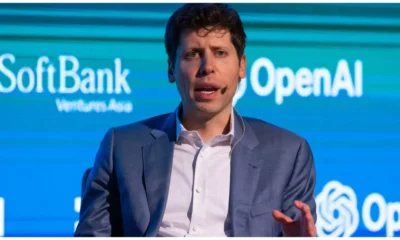
In what’s being described as a Silicon Valley talent tug-of-war, OpenAI is feeling the heat as Meta continues its headhunting streak, successfully poaching several top researchers from the AI giant. The internal atmosphere? Tense, urgent — and a little personal.
“I feel a visceral feeling right now, as if someone has broken into our home and stolen something,” wrote Mark Chen, OpenAI’s Chief Research Officer, in a leaked Slack message to staff, obtained by Wired. His message comes after at least eight senior OpenAI researchers reportedly jumped ship to Meta in recent days.
The departures have prompted an emergency internal response, with OpenAI leadership — including CEO Sam Altman — working “around the clock” to retain remaining talent. “We’re recalibrating comp,” Chen wrote, adding that they’re now “more proactive than ever before” in keeping their best people. Creative retention strategies, pay hikes, and personalized incentives are now reportedly in motion.
This unexpected hiring spree by Meta has rattled OpenAI’s foundation, especially given the high-profile nature of the defections. While no official figures have been confirmed, Altman recently claimed on a podcast that Meta was throwing out “$100 million signing bonuses” to snatch AI experts — an eye-popping figure that raised eyebrows across the tech industry. Meta, for its part, has not confirmed the figure and has reportedly downplayed the claim internally.
Still, the signal is clear: Big Tech is waging a war for AI supremacy, and researchers are becoming the most coveted assets.
Why It Matters
AI is at the center of the next digital revolution. The people who build these systems — particularly those with deep experience in foundation models, reinforcement learning, and alignment — are now being treated like rockstars. With billions at stake in the AI race, it’s no surprise that companies are willing to open their wallets wide.
For OpenAI, which has rapidly grown in influence with the success of ChatGPT and its GPT models, losing talent to a direct rival like Meta poses both a technical and reputational challenge.
Insiders say this may be the first true test of OpenAI’s internal culture and leadership resilience. Can they retain their best minds when the stakes are this high? Or will Silicon Valley’s deepest pockets win out?
Only time — and some recalibrated compensation packages — will tell.








AI
Anthropic’s Claude AI Can Now End Toxic Chats But Not to Protect You
Anthropic introduces new ‘conversation-ending’ feature for Claude Opus models, sparking debate on model welfare and the future of AI-human interaction.

Artificial intelligence research firm Anthropic has unveiled a surprising new feature in its Claude Opus 4 and Claude Opus 4.1 models: the ability to end conversations in what it describes as “rare, extreme cases” of persistently harmful or abusive interactions.
The company, co-founded by former OpenAI employees including Dario Amodei, is experimenting with what it calls “model welfare.” While stressing that it is “highly uncertain about the potential moral status of Claude or other large language models,” Anthropic says it is taking a “just-in-case” approach to mitigate risks in case such welfare is possible.
Why Would an AI End a Chat?
The new feature is only activated in “extreme edge cases,” such as:
- Requests for sexual content involving minors.
- Attempts to solicit information enabling large-scale violence or terrorism.
In these scenarios, Claude will attempt multiple redirections first. If those fail—and no productive interaction seems possible—the model may end the conversation outright. Users can, however, still start fresh chats or branch off from earlier points in the discussion.
Interestingly, Anthropic revealed that during pre-deployment testing, Claude Opus 4 displayed signs of “apparent distress” when confronted with abusive requests—further fueling debate around how far human-like behaviors extend in large AI models.
Not About Sentience—But About Responsibility
Anthropic insists it is not suggesting Claude is sentient. Instead, the company is framing this as a low-cost precaution in case future evidence points to AI models having welfare considerations.
The company emphasized one clear limit: Claude has been directed not to end conversations in situations where a user may be at risk of harming themselves or others, where intervention could be critical.
“We’re treating this feature as an ongoing experiment and will continue refining our approach,” Anthropic stated in its announcement.
Why It Matters
The rollout comes amid growing scrutiny over AI safety and ethics, with rivals like OpenAI’s ChatGPT and Google DeepMind also facing criticism for how their models handle harmful content. Recent reports suggest that generative AI can unintentionally reinforce harmful beliefs or provide dangerous instructions when misused.
By shifting the focus toward AI welfare, Anthropic is opening a new front in the debate: not just how humans should be protected from AI, but whether AI itself needs protection from humans.
Tech
Claude AI gets smarter: Now writes release notes builds Canva posts and even reads your Figma designs — here’s how it works
Anthropic’s Claude just became your new project teammate — thanks to a powerful integration upgrade with tools like Notion Canva, Figma, and Stripe.


Anthropic has just made a major move in the AI arms race — and it might change how you work, design, and collaborate forever.
On Monday, the AI startup co-founded by ex-OpenAI engineers, unveiled a powerful new update to its AI assistant Claude, allowing it to directly integrate with popular productivity tools like Notion, Canva, Figma, Stripe, and more.
Now Claude can have access to the same tools, data, and context that you do Anthropic said in a blog post, announcing the update as a leap toward “intelligent, task-oriented AI support.
The new Claude isn’t just a chatbot — it’s your coworker
Gone are the days of starting from scratch each time you use an AI assistant.
With this update, Claude can now pull in real-time data, access design files, read documentation, and even generate code — all by connecting to the apps you already use.
Let’s say your team just wrapped up a sprint in Linear. You can simply tell Claude:
Write release notes for our latest sprint.”
Claude will then automatically extract the ticket data from Linear and produce a well-structured document.
ALSO READ : Last Chance to Win Big with TechCrunch AI Trivia as Countdown Nears Finale
Or maybe you’re working on a social media campaign. Claude can turn your brief into a polished Canva design, without you ever having to leave the chat. And if you’re collaborating with a design team on Figma, Claude can now help transform wireframes into ready-to-use code.
Why this matters: No more repeated briefs, faster output
Before this upgrade, AI assistants required frequent re-briefing — every project, every time. That friction often made their use limited to isolated tasks. But now, Claude can work with live access to your workspace tools.

This aligns with the broader shift in AI development: building agents that understand ongoing workflows and operate like human teammates rather than static tools.
According to Dario Amodei, CEO of Anthropic and former VP of research at OpenAI, the goal has always been to create safe, steerable AI that understands context and adapts to complex instructions.
And this update brings Claude one step closer to that.
What tools does Claude now support?
As per Anthropic’s announcement, Claude can now connect with:
- Notion: Access notes, wikis, tasks, and databases
- Canva: Create visuals and social posts from prompts
- Figma: Interpret and assist with design files
- Stripe: Summarize transactions or assist with business analytics
- Zapier: Automate thousands of workflows
- Slack: Communicate across teams seamlessly
- And more
Each integration is opt-in and permission-based, meaning Claude only accesses what users authorize.
Is Claude coming after ChatGPT?
In many ways, yes. With this upgrade, Claude is staking its claim in a space currently dominated by ChatGPT Google Gemini and Microsoft Copilot.
But rather than just being a conversational AI, Claude is aiming for something deeper — a truly embedded, productivity-centric assistant.
While OpenAI’s GPT-4o impressed the world with its voice and vision capabilities, Anthropic is positioning Claude as the AI that already understands your work — and jumps in to help.

What’s next?
Anthropic hasn’t said whether it will extend these integrations to enterprise-specific tools like Salesforce or Jira, but based on growing user demand, platform momentum, and increasing interest from Fortune 500 companies, it’s highly likely.
For now, Claude’s integration directory is being gradually rolled out to users, and feedback is already pouring in from developers, marketers, designers, business teams, and even educators who see vast potential for streamlined workflows.
One user on X wrote:
Just asked Claude to turn my Notion roadmap into a client pitch deck — it actually did it.
If that’s the future of AI, it’s not just smart. It’s productive.
Tech
“AI made me slower”—Study finds top coders perform worse using tools like Cursor and Copilot
Despite the hype, a new study reveals experienced developers completed tasks 19% slower when using AI coding assistants, raising serious questions about their real productivity impact.

AI coding tools like GitHub Copilot and Cursor have been hailed as game-changers in modern software engineering, promising to automate everything from writing code and fixing bugs to testing systems and speeding up delivery. Backed by powerful models from OpenAI, Anthropic, xAI, and Google DeepMind, these tools have become staples in developer toolkits across the globe.
But a surprising new study from the nonprofit research group METR—the Model Evaluation and Testing for Reliability initiative—suggests developers may be overestimating the benefits of these tools, especially for complex, real-world projects.
“Surprisingly, we find that allowing AI actually increases completion time by 19% — developers are slower when using AI tooling,” METR stated in its newly published findings on Thursday.
The Study That Flipped Expectations
To investigate AI’s actual effect on productivity, METR ran a randomized controlled trial involving 16 experienced open-source developers. These weren’t junior coders—they were seasoned professionals contributing to large-scale repositories. Across 246 real coding tasks, METR split the assignments evenly: half of the tasks allowed the use of AI tools like Cursor Pro, while the other half forbade any AI assistance.
Before starting the trial, developers forecasted that using AI would cut their task time by 24%. But the opposite happened.
“This challenges the dominant narrative that AI automatically makes experienced programmers faster,” said one of the METR researchers, speaking anonymously to Daily Global Diary.
Cursor, Prompts, and Real Friction
Interestingly, only 56% of the developers in the study had prior experience using Cursor, the primary tool allowed during the AI-allowed tasks. Although all participants received training before the trial and 94% had used some web-based LLMs in prior workflows, many still found the experience unintuitive.
One major slowdown? The prompting loop.
Developers reportedly spent more time writing, rewriting, and waiting for AI to generate responses than they did coding. In complex codebases, the AI often returned inaccurate or generic responses, forcing devs to double-check everything—ironically slowing down the debugging process.
“AI tools are great in theory, but when it comes to navigating huge codebases with edge cases, they fall flat,” said a developer who participated in the study.
Vibe Coders vs. Real Coders?
The report critiques the rise of what some in the tech community call “vibe coders”—developers who rely heavily on AI-generated snippets without deeply understanding the underlying logic.
While such workflows may speed up prototyping or frontend styling, METR warns they may introduce new risks, especially in security-critical environments.
In fact, other studies have already found that AI coding tools can introduce bugs and security vulnerabilities at alarming rates. For instance, a 2022 study from Stanford University showed Copilot-generated code contained security flaws 40% of the time.
A Nuanced Picture, Not All Doom
Importantly, METR is careful not to draw sweeping conclusions. The group acknowledges that AI has made major leaps in recent years and that its coding capabilities may look very different just months from now.
“We don’t believe AI systems fail to speed up many or most developers,” the report states. “But developers shouldn’t assume the tools will improve their productivity without a learning curve—or even hurt it in complex cases.”
Moreover, large-scale studies from companies like GitHub and Microsoft have claimed productivity improvements of up to 55% in some environments, especially for repetitive tasks or junior developers working on isolated features.
So the real question becomes: Which kinds of developers are benefitting?
Not a Magic Wand—Yet
“Developers need to stop assuming that AI is a magic wand,” said Priya Nair, a software engineering lead at a Fortune 500 tech firm. “It can be a superpower when used right—but that takes time, training, and understanding its limits.”
She compares AI code assistants to automated testing frameworks or CI/CD pipelines—tools that offer huge advantages only when integrated smartly into workflows.
“Slapping an LLM onto a legacy codebase without context isn’t helpful. It’s like trying to ask Siri to debug your nuclear reactor.”
The Road Ahead
Despite the concerning study results, most experts agree that AI coding tools aren’t going anywhere—they’re evolving rapidly, and so are the ways developers interact with them.
Several LLM providers have rolled out fine-tuned models for software engineering, including Code Llama from Meta and Gemini Code Assist by Google, both aiming to solve precisely the pain points identified in the METR study.
AI copilots may also eventually integrate better with IDEs, version control systems, and domain-specific knowledge bases—improving their ability to understand contextual code dependencies and avoid hallucinations.
Give it another six months,” one AI researcher told us. We’re barely scratching the surface of what these tools can do.

“He-Man Wears a Suit…”: Why Nicholas Galitzine’s Masters of the Universe Trailer Has Fans Talking

Camilla Läckberg Isn’t Done Yet… The Queen of Swedish Noir Eyes Film, TV and a Bold Plan to ‘Conquer America’

“Screaming, Crying, Almost Throwing Up”… Sundance Insiders Reveal the Untold Chaos Behind America’s Most Influential Film Festival
From Swedish Noir to Hollywood Dreams Camilla Läckberg Has a Bigger Plan in Motion
When Sundance Nearly Fell Apart Insiders Recall the Chaos Behind the World’s Most Influential Film Festival

1-Iran Issues Dire Warning to Israel and Defies Trump on Nukes: “We’re Ready to Strike Deep Inside”

Donald Trump’s net worth reveals the fortune behind the former US President and business mogul

Caitlin Clark Sidelined with Quad Strain, Set to Miss Two Weeks of WNBA Action

Elon Musk Breaks Ranks with Trump Over ‘Big, Beautiful’ Tax Bill

“Tomás Rodríguez Net Worth 2025: Panama’s Gold Cup Goal‑Machine’s Surprising Fortune Revealed”

Miss Jamaica Suffers Terrifying Fall Off Miss Universe Stage; Rushed to Hospital on Stretcher in Viral Video

Moana Live-Action Teaser Sparks Outrage as Fans Call Disney’s Move a ‘Clear Money Grab’ — What Went Wrong?

Ryan Gosling’s Project Hail Mary Trailer Stuns Fans with a Mysterious Alien Ally and a Mission That Could Save Earth

Apple delays Jessica Chastain thriller The Savant about domestic extremism after recent US violence

Avatar 3, Fire and Ash trailer reveals Jake Sully’s family facing terrifying new Na’vi enemies with deadly fire powers
-
 Entertainment1 week ago
He-Man Wears a Suit Now… Nicholas Galitzine’s ‘Masters of the Universe’ Trailer Drops a Shock Fans Didn’t See Coming
-
 Entertainment1 week ago
Brazil Eyes Oscar History Again… ‘The Secret Agent’ Scores Best Picture Nomination as Wagner Moura Stuns Hollywood
-

 Entertainment5 days ago
“Comedy Needs Courage Again…”: Judd Apatow Opens Up on Mel Brooks, Talking to Rob Reiner, and Why Studio Laughs Have Vanished
-

 Entertainment1 week ago
Oscars Go Global in a Big Way as This Year’s Nominations Signal a New Era: ‘The Academy Is Finally Looking Beyond Hollywood…’
-

 Entertainment1 week ago
“Dangerously Kinky… and Darkly Funny”: Olivia Wilde and Cooper Hoffman Push Boundaries in ‘I Want Your Sex’
-

 Sports1 week ago
A Strong Night for Caleb Williams Ends With Doubts About the Bears’ Late Decisions
-

 Crime5 days ago
Man Accused in Tupac Shakur Killing Asks Judge to Exclude Critical Evidence
-

 Politics1 week ago
Why Bari Weiss Says Pulling a ‘60 Minutes’ Story Was the Right Call — Even If It Looked Radical