
Technology
OpenAI launches ₹399 ChatGPT Go plan in India but here’s why it’s not for everyone yet
From UPI payments to 10x usage upgrades, ChatGPT Go is OpenAI’s big bet on India’s 850 million internet users — but it won’t be available worldwide just yet


OpenAI has just rolled out its most affordable paid plan for Indian users, offering a powerful alternative to its 1,999/month ChatGPT Plus subscription — and it’s priced to impress.
ALSO READ : 7 Bold Moves by Parag Agrawal That Show Why His AI Startup Could Dominate the Internet
On Tuesday, the company unveiled ChatGPT Go, a budget-friendly subscription tier available exclusively in India at 399/month ($4.60). This is a strategic move aimed at capturing a larger slice of India’s fast-growing AI-curious population, and according to OpenAI’s internal numbers, it might just work.
Making ChatGPT more affordable has been a key ask from users!” said Nick Turley, VP and Head of ChatGPT at OpenAI.
“We’re rolling out Go in India first and will learn from feedback before expanding to other countries.
More Power for Less
So, what exactly does ChatGPT Go bring to the table?
According to OpenAI, Go subscribers will enjoy:
- 10x more messages compared to the free tier
- Access to image generation and file uploads
- Improved memory features for more personalized chats
These upgrades bring users much closer to the ChatGPT Plus experience, albeit with a more tailored usage scope and at one-fifth the price.
In a move likely to boost adoption, OpenAI has also enabled UPI payments, India’s ubiquitous digital transaction framework. With pricing now available in Indian Rupees, the currency conversion inflation that previously made ChatGPT Plus costlier than its $20 USD tag is also resolved.
India First, Global Later
While the plan is currently geo-restricted to India, OpenAI has clarified on its support page that the Go plan may expand to other countries depending on user feedback and system performance.
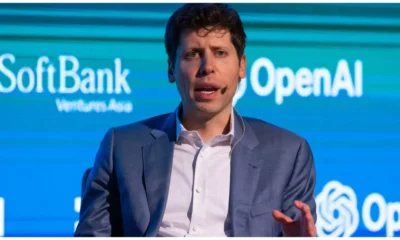
The decision to launch in India first isn’t random. In a recent podcast, CEO Sam Altman revealed that India is now OpenAI’s second-largest market in terms of user base — a stunning leap in growth driven by mobile-first AI consumption patterns.
India is where we’ve seen an extraordinary uptick post-image generation launch,” said Turley in a July update.
“We’re building for the next billion AI users — and many of them are here.
The Numbers Back It Up
According to analytics firm AppFigures, India contributed over 29 million ChatGPT app downloads in the past 90 days alone, making it the top country for ChatGPT downloads globally.
However, monetization has remained a challenge. Despite the impressive download figures, ChatGPT earned just $3.6 million in revenue from Indian users during the same period — a stark contrast to its performance in premium Western markets.
The new Go plan is OpenAI’s answer to this gap. Instead of handing out freebies like Google or Perplexity — which recently partnered with Airtel to offer Pro subscriptions at no cost — OpenAI is going with a “cheap but valuable” model that aligns better with the price-sensitive Indian market.
A Growing AI Battle in India
The AI race in India is heating up.
Just last month:
- Google launched free AI Pro access to Indian students
- Perplexity AI teamed up with Bharti Airtel to offer bundled subscriptions
- Tibor Blaho, a well-known AI leaker, had already hinted at a new low-cost ChatGPT tier
With over 850 million internet users, India has become a key battleground for AI giants vying to dominate search, productivity, and personal assistant markets.
OpenAI is clearly betting that Go will convert more free users into paying customers — especially those using ChatGPT for:
- Academic help
- Image-based content creation
- PDF/file summarization and data parsing
So, Who Should Buy It?
ChatGPT Go is best suited for:
- Users who want more access than the free tier
- Creators and students needing image generation + file processing
- People who don’t need the heaviest AI use that Plus enables
But Go subscribers won’t get full access to enterprise features or advanced tools like custom GPTs, code interpreters, or priority server access. That still remains exclusive to ChatGPT Plus or Enterprise tiers.
For the average user in India, though, 399/month is a low-friction entry point to premium AI tools — one that might soon become a mainstream digital subscription like Netflix or Spotify.










Technology
MasterClass Slashes Prices by 50% Ahead of Holidays — Learn From Martin Scorsese, Gordon Ramsay and Kim Kardashian for Less Than Ever…
From Hollywood legends to business icons, MasterClass rolls out a rare half-off deal just in time for last-minute holiday gifting.

If you’re still searching for a meaningful last-minute holiday gift — or planning to invest in yourself before the new year — MasterClass has just made the decision a lot easier.
The celebrity-led online learning platform is currently offering 50 percent off its annual membership, matching its much-anticipated Black Friday pricing. The limited-time holiday sale runs from December 16 through December 24, making it one of the strongest deals of the year for curious minds and lifelong learners.
At the center of the offer is the MasterClass Plus plan, now discounted to $90 per year, unlocking access to more than 200 premium video courses taught by some of the most recognizable names in entertainment, sports, food, science, and business.
A Classroom Led by Icons, Not Textbooks
What sets MasterClass apart isn’t just the production quality — it’s the instructors.
Subscribers can learn filmmaking from legendary director Martin Scorsese, storytelling from hitmakers like Shonda Rhimes, and cinematic tension from Spike Lee. Fans of pop culture television can dive into creative collaboration with The Duffer Brothers, the minds behind Stranger Things.
ALSO READ : Taylor Swift Quietly Changes Lyrics to Two Reputation Songs on Apple Music, Swifties Go Into Detective Mode
The platform also reaches far beyond Hollywood.
Science enthusiasts can explore the universe with astrophysicist Neil deGrasse Tyson, while motorsport fans can learn focus and performance from seven-time Formula One world champion Lewis Hamilton.
And for those who believe creativity begins in the kitchen, culinary legends like Gordon Ramsay and lifestyle icon Martha Stewart offer master-level instruction on food, hospitality, and home excellence.
Kim Kardashian Enters the Classroom
One of the most talked-about additions this month comes from entrepreneur and media powerhouse Kim Kardashian, who recently launched her first-ever business course on the platform.
Titled “The New Rules of Business: The Ten Kimmandments,” the class pulls back the curtain on personal branding, deal-making, and building a billion-dollar empire in the modern attention economy — making it especially appealing to young founders and creators.
New classes like this are added regularly, ensuring the platform evolves alongside cultural and professional trends.

Learning on Your Time, Your Terms
Beyond star power, MasterClass continues to refine its user experience. Lessons are designed to be watched on-demand, allowing users to start, pause, or revisit sessions whenever they like. The platform also now supports offline downloads, making it easier to learn during travel or commutes.
The Plus plan adds another layer of convenience, allowing two users to stream simultaneously, making it ideal for couples, families, or shared gifting.
In an age where attention is fragmented and learning often feels transactional, MasterClass positions itself as something different — immersive, thoughtful, and aspirational.
Why This Holiday Deal Stands Out
While online education platforms are everywhere, few combine storytelling, credibility, and inspiration the way MasterClass does. The holiday discount brings the annual cost down to a level that rivals a single workshop or textbook — but with access to hundreds of lessons taught by the very people who shaped their industries.
For anyone looking to gift skills instead of stuff, this limited-time sale offers rare value — and a compelling way to start the new year learning from the best.
Technology
“We Don’t Need to See Your Data to Learn From It…”: Neel Somani Explains the Quiet AI Revolution Protecting Privacy
As artificial intelligence races ahead and privacy laws tighten, Berkeley-trained technologist Neel Somani reveals how machines are learning responsibly — without exposing sensitive data.

For years, the tech industry lived by a simple mantra: more data equals better intelligence. The larger the dataset, the smarter the algorithm — or so everyone believed.
That belief is now being challenged.
At the center of this shift is Neel Somani, a researcher and technologist trained at University of California, Berkeley, whose work sits at the crossroads of artificial intelligence, mathematics, and data ethics. As governments, corporations, and consumers grow increasingly wary of how personal information is used, Somani argues that the future of AI depends not on data accumulation — but on restraint.
“Privacy-preserving models represent a new kind of intelligence,” Somani says. “They allow organizations to learn from patterns without ever seeing the raw data itself.”
It’s a subtle but radical idea — and one that could redefine the digital economy.
When Data Became a Liability, Not an Asset
In the early days of machine learning, companies treated data like oil: extract as much as possible, refine it centrally, and monetize the results. From social platforms to financial services, vast data warehouses became the norm.
ALSO READ : Younghoe Koo Explains Botched Field Goal After Slip: “The Ball Was Moving So I Pulled Up”
Then came regulation.
Laws such as GDPR in Europe and CCPA in the United States signaled a turning point. Privacy was no longer a footnote — it was a legal, ethical, and reputational risk. Public trust began to erode, and organizations found themselves walking a tightrope between innovation and compliance.
That tension, Somani believes, forced a long-overdue reckoning.
“Data isn’t just fuel,” he explains. “It represents people — their health, their finances, their identities. Treating it carelessly undermines trust at every level.”
What Is Privacy-Preserving Machine Learning?
The answer to this dilemma lies in privacy-preserving machine learning (PPML) — a growing field that allows AI systems to learn without exposing sensitive information.
Instead of pulling data into a single central server, PPML techniques rely on tools such as:
- Federated learning, where models train locally on devices or institutions
- Differential privacy, which introduces statistical noise to prevent individual identification
- Advanced cryptographic methods, enabling computation on encrypted data
The result? Algorithms that improve over time while personal data never leaves its source.
Hospitals can collaborate on disease prediction without sharing patient records. Banks can detect fraud patterns without revealing customer transactions. Even tech companies can refine recommendation systems without harvesting user behavior in invasive ways.
“It changes the question,” Somani says. “Instead of asking how much data can we collect?, we ask how little do we actually need?”
From Data Hoarding to Data Stewardship
This shift marks more than a technical upgrade — it signals a cultural change.

Industries such as healthcare, finance, and social media are investing heavily in PPML frameworks, not just to meet regulatory standards but to rebuild trust with users.
For Somani, this evolution reflects a deeper transformation in how organizations view ownership and responsibility.
“Data stewardship is becoming a competitive advantage,” he notes. “Companies that respect privacy aren’t slowing innovation — they’re making it sustainable.”
Why This Matters for the Future of AI
As artificial intelligence becomes embedded in everything from hiring decisions to medical diagnoses, the consequences of misuse grow more severe. Bias, leaks, and surveillance concerns threaten to stall progress entirely.
Privacy-preserving machine learning offers a way forward — one where intelligence scales without eroding human dignity.
“This isn’t just about compliance,” Somani says. “It’s about designing systems that people can actually trust.”
In an era defined by data anxiety and algorithmic power, that trust may be AI’s most valuable currency.
Technology
How to Free Up iCloud Storage Without Losing Your Data: A Complete Step-by-Step Guide
Running out of iCloud space? Here’s how to clean storage safely, manage backups, delete large files, and organise your Apple cloud data without risking important photos or documents.

If you’ve ever seen the alert “Your iCloud storage is full”, you know how disruptive it can be. Backups stop working, new photos fail to upload, and apps that depend on iCloud—like Messages, Drive, or Mail—slow down or stop syncing.
With Apple offering only 5GB of free iCloud space, most users hit the limit sooner than expected. The good news: you can free up space, organise your iCloud, and protect your important data by following simple steps.
This guide breaks down exactly how iCloud storage works and how to manage it safely across iPhone, iPad, Mac, and Vision Pro.
iCloud Storage vs Device Storage: Know the Difference
Before clearing space, it’s important to understand what you’re deleting.
Device Storage
- Located physically on your iPhone, iPad, or Mac
- Holds apps, downloaded media, system files
iCloud Storage
- Hosted online under your Apple ID
- Syncs photos, messages, backups, documents, and app data across devices
Important:
Deleting from your device does not clear iCloud space — and deleting from iCloud does not free device space.
Understanding this prevents accidental data loss.

How to Free Up iCloud Storage
Apple now offers a “Recommended for You” cleanup tool (iOS/iPadOS 17+), which identifies files you can safely remove.
How to access it:
- Go to Settings > your name > iCloud
- Tap Recommended for You
- Review suggestions (large files, duplicate photos, unused backups)
- Delete items you don’t need
If something isn’t listed, you can still delete it manually.
1. Reduce Your iCloud Backup Size
iCloud backups often consume the most space—especially if apps you no longer use are included.
Choose which apps to back up:
- Settings > your name > iCloud
- Tap Manage Account Storage or Storage > Backups
- Select your device
- Toggle off apps you don’t want included in backups
Delete old backups:
- Open the backup
- Tap Turn Off & Delete
Keep in mind: deleting a backup disables future backups for that device unless re-enabled.
2. Delete Photos and Videos (The Biggest Space Hog)
iCloud Photos syncs your entire library across devices — and eats up storage fast.
On iPhone/iPad/Vision Pro:
- Select and delete unwanted photos
- Empty Recently Deleted to free space immediately
On Mac/iCloud.com:
- Delete photos directly from the Photos app or browser
In iCloud Drive:
- Use the Files app (iPhone/iPad) or Finder (Mac)
- Delete large documents or folders
- They remain in Recently Deleted for 30 days
3. Clean Up Files, Messages, and Mail
iCloud Drive:
- Delete old PDFs, downloads, duplicate documents
- Check Recently Deleted
Messages in iCloud:
- Delete large attachments
- Clear full conversations
- Remove videos, photos, stickers and audio files
iCloud Mail:
- Delete emails, especially promotions
- Use the Mail Cleanup tool (if available)
4. Remove Contact Posters and Images
Contact posters introduced in iOS 17 take up surprising amounts of iCloud storage.
To delete them:
Settings > iCloud > Storage > Contact Images
Remove unnecessary visuals.

5. When to Upgrade to iCloud+
If your photo library, backups, and files exceed what cleanup alone can handle, upgrading may be more practical.
iCloud+ plans offer:
- More storage (50GB / 200GB / 2TB / 6TB / 12TB)
- Private Relay
- Hide My Email
- Expanded HomeKit support
How to upgrade:
Settings > your name > iCloud > Manage Storage > Upgrade
For many users, even the 50GB plan solves most issues.
Final Thoughts
iCloud is deeply integrated into how Apple devices store and sync important information. Running out of space doesn’t mean you have to lose data — it just means you need to manage what stays in the cloud and what doesn’t.
By reviewing backups, deleting unnecessary files, and understanding what iCloud really stores, you can keep your digital life organised without fear of losing memories or essential documents.

“He-Man Wears a Suit…”: Why Nicholas Galitzine’s Masters of the Universe Trailer Has Fans Talking

Camilla Läckberg Isn’t Done Yet… The Queen of Swedish Noir Eyes Film, TV and a Bold Plan to ‘Conquer America’

“Screaming, Crying, Almost Throwing Up”… Sundance Insiders Reveal the Untold Chaos Behind America’s Most Influential Film Festival
From Swedish Noir to Hollywood Dreams Camilla Läckberg Has a Bigger Plan in Motion
When Sundance Nearly Fell Apart Insiders Recall the Chaos Behind the World’s Most Influential Film Festival

1-Iran Issues Dire Warning to Israel and Defies Trump on Nukes: “We’re Ready to Strike Deep Inside”

Donald Trump’s net worth reveals the fortune behind the former US President and business mogul

Caitlin Clark Sidelined with Quad Strain, Set to Miss Two Weeks of WNBA Action

Elon Musk Breaks Ranks with Trump Over ‘Big, Beautiful’ Tax Bill

“Tomás Rodríguez Net Worth 2025: Panama’s Gold Cup Goal‑Machine’s Surprising Fortune Revealed”

Miss Jamaica Suffers Terrifying Fall Off Miss Universe Stage; Rushed to Hospital on Stretcher in Viral Video

Moana Live-Action Teaser Sparks Outrage as Fans Call Disney’s Move a ‘Clear Money Grab’ — What Went Wrong?

Ryan Gosling’s Project Hail Mary Trailer Stuns Fans with a Mysterious Alien Ally and a Mission That Could Save Earth

Apple delays Jessica Chastain thriller The Savant about domestic extremism after recent US violence

Avatar 3, Fire and Ash trailer reveals Jake Sully’s family facing terrifying new Na’vi enemies with deadly fire powers
-
 Entertainment1 week ago
He-Man Wears a Suit Now… Nicholas Galitzine’s ‘Masters of the Universe’ Trailer Drops a Shock Fans Didn’t See Coming
-
 Entertainment1 week ago
Brazil Eyes Oscar History Again… ‘The Secret Agent’ Scores Best Picture Nomination as Wagner Moura Stuns Hollywood
-

 Entertainment5 days ago
“Comedy Needs Courage Again…”: Judd Apatow Opens Up on Mel Brooks, Talking to Rob Reiner, and Why Studio Laughs Have Vanished
-

 Entertainment1 week ago
Oscars Go Global in a Big Way as This Year’s Nominations Signal a New Era: ‘The Academy Is Finally Looking Beyond Hollywood…’
-

 Entertainment1 week ago
“Dangerously Kinky… and Darkly Funny”: Olivia Wilde and Cooper Hoffman Push Boundaries in ‘I Want Your Sex’
-

 Sports1 week ago
A Strong Night for Caleb Williams Ends With Doubts About the Bears’ Late Decisions
-

 Crime5 days ago
Man Accused in Tupac Shakur Killing Asks Judge to Exclude Critical Evidence
-

 Politics1 week ago
Why Bari Weiss Says Pulling a ‘60 Minutes’ Story Was the Right Call — Even If It Looked Radical